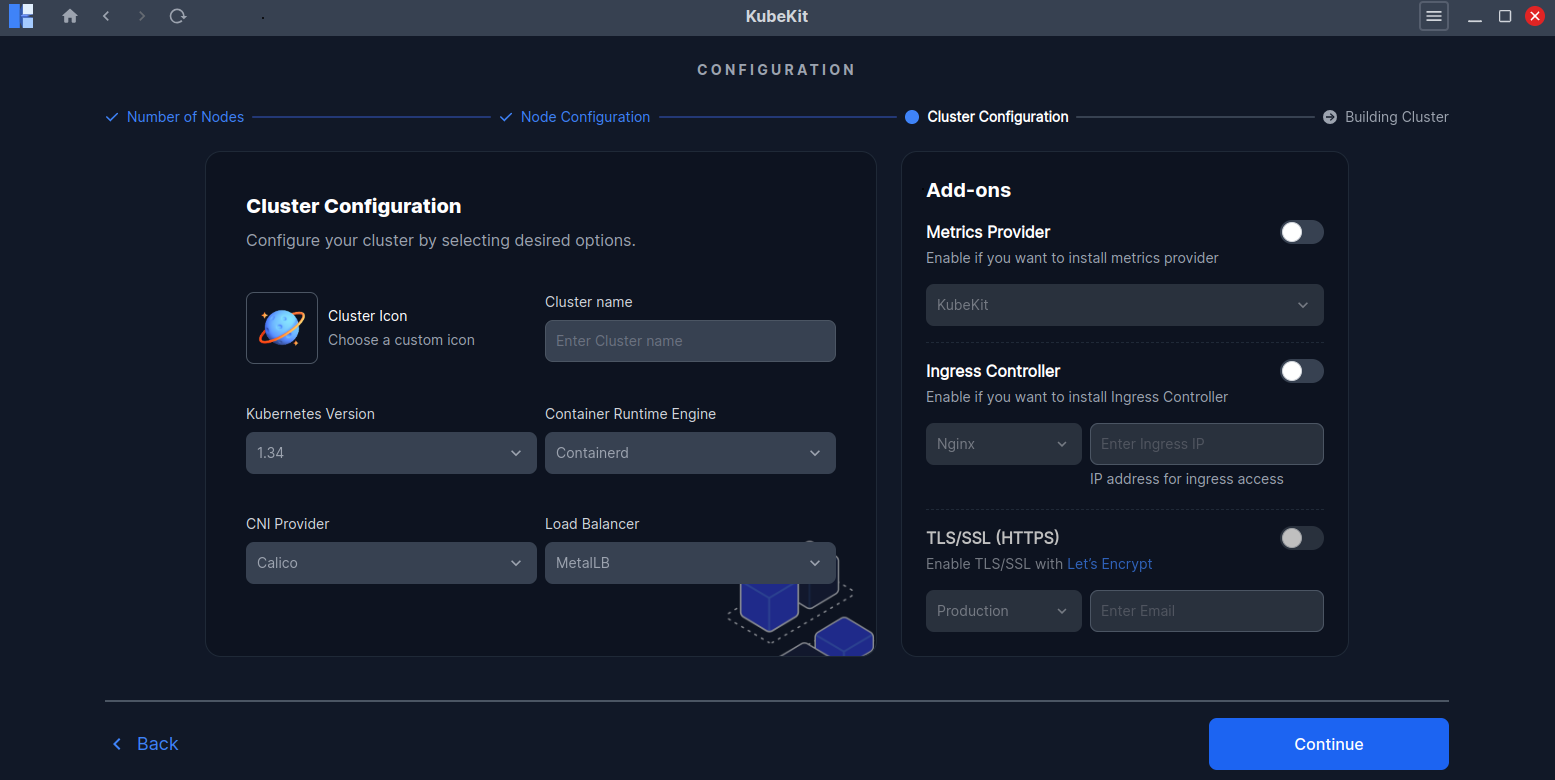
Cluster Configuration
On the Cluster Configuration page:
- Select your cluster icon and provide a name for your cluster, this will appear in the dashboard after creation.
- Choose your desired Kubernetes version, Container Runtime Engine, CNI Provider, Load Balancer. Or you can keep the default options.
KubeKit support multiple Add-ons options, which are optional
Metrics Provider: You can enable Metrics Provider like KubeKit or Prometheus. (KubeKit is a light-weight metrics which works with metrics server).
If you skip this step, you can always add a metrics provider later by following the instructions.Ingress Controller: You can choose your desired ingress controller either Nginx or Traefik and provide ingress IP to access your ingress service.
TLS/SSL(HTTPS): If you want to enable TLS/SSL(HTTPS) in your cluster, then enable the switch, and select the deployment mode either Production or Staging and provide your email address. You must enable ingress controller to use this feature.
To know more about TLS/SSL(HTTPS) with Let's Encrypt, Click Here
Click Continue to start the cluster creation process.