Nodes
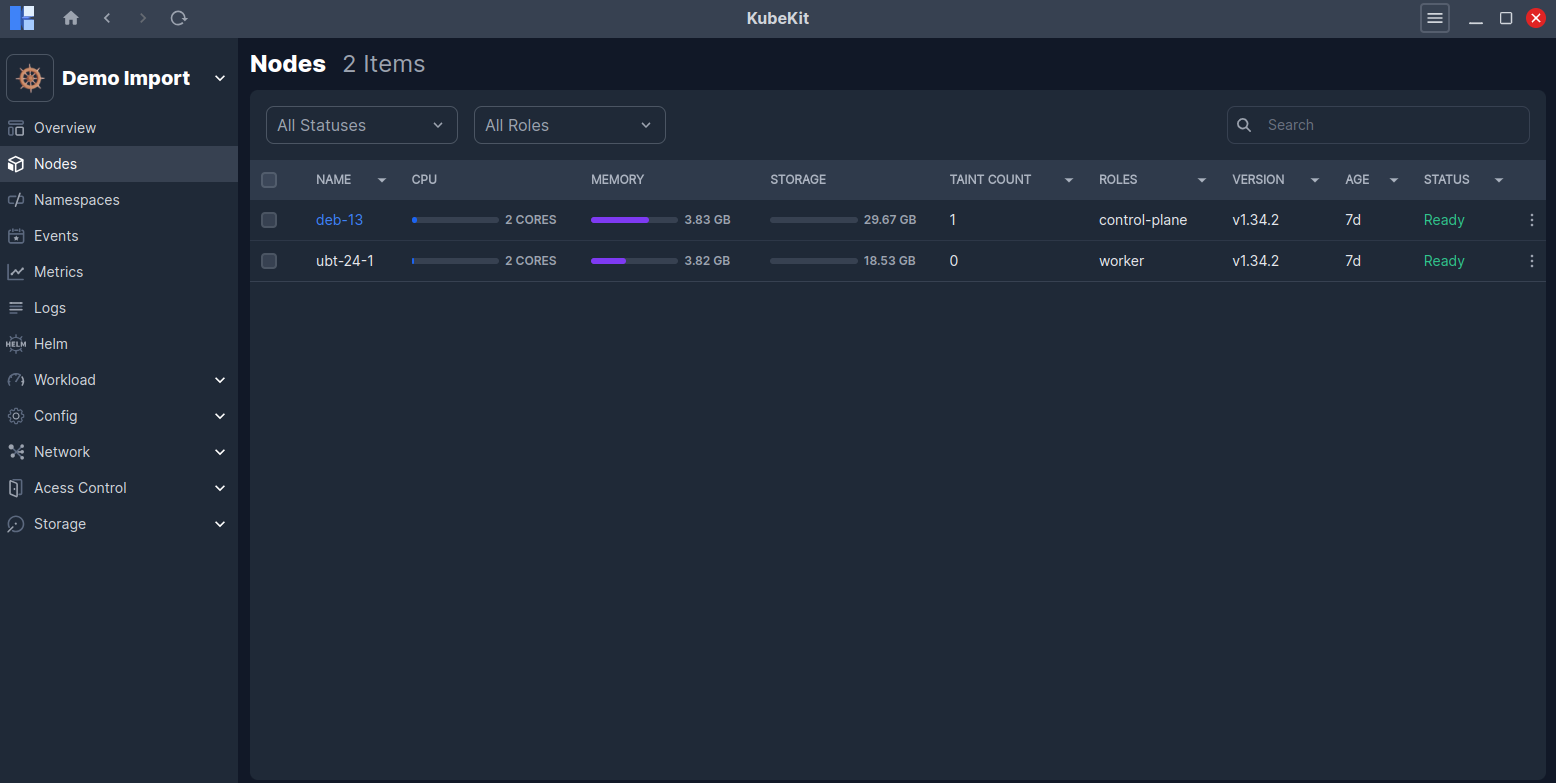
All nodes along with their status, cpu, memory usages and their roles(master or worker) are listed here.
Node Details
Click on a node row to view detailed information about that node.
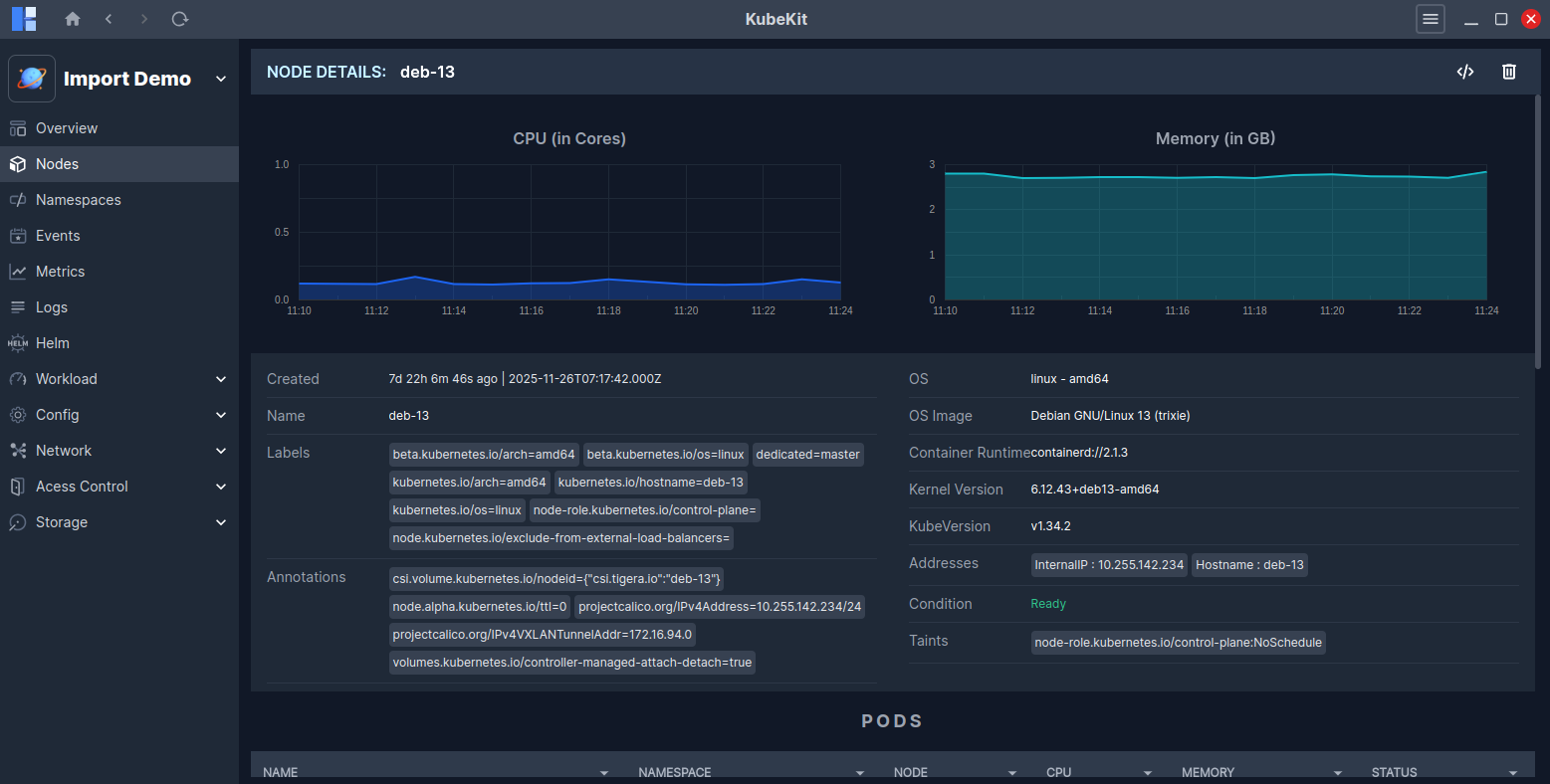
You can see real-time graphs of CPU and Memory usage.
Other important information about the node is also displayed, including Name, Labels, Annotations, OS, Kernel Version, IP addresses, etc.
Below, you will find a list of pods running in the node and a list of events occurring in the node.
Access Node Terminal
Follow the instructions to access the node terminal.
Delete Node
To delete a node, locate the three-dot menu on the node row and click the Delete icon.
Alternatively, if you open the node's detailed page by clicking on its row, the Delete icon is available at the top-right corner.
This Delete action works the same way as kubectl delete.
It does not perform actions like kubectl cordon or kubectl drain.