Node Configuration
Specify the total number of nodes you want to include in your cluster on the left.
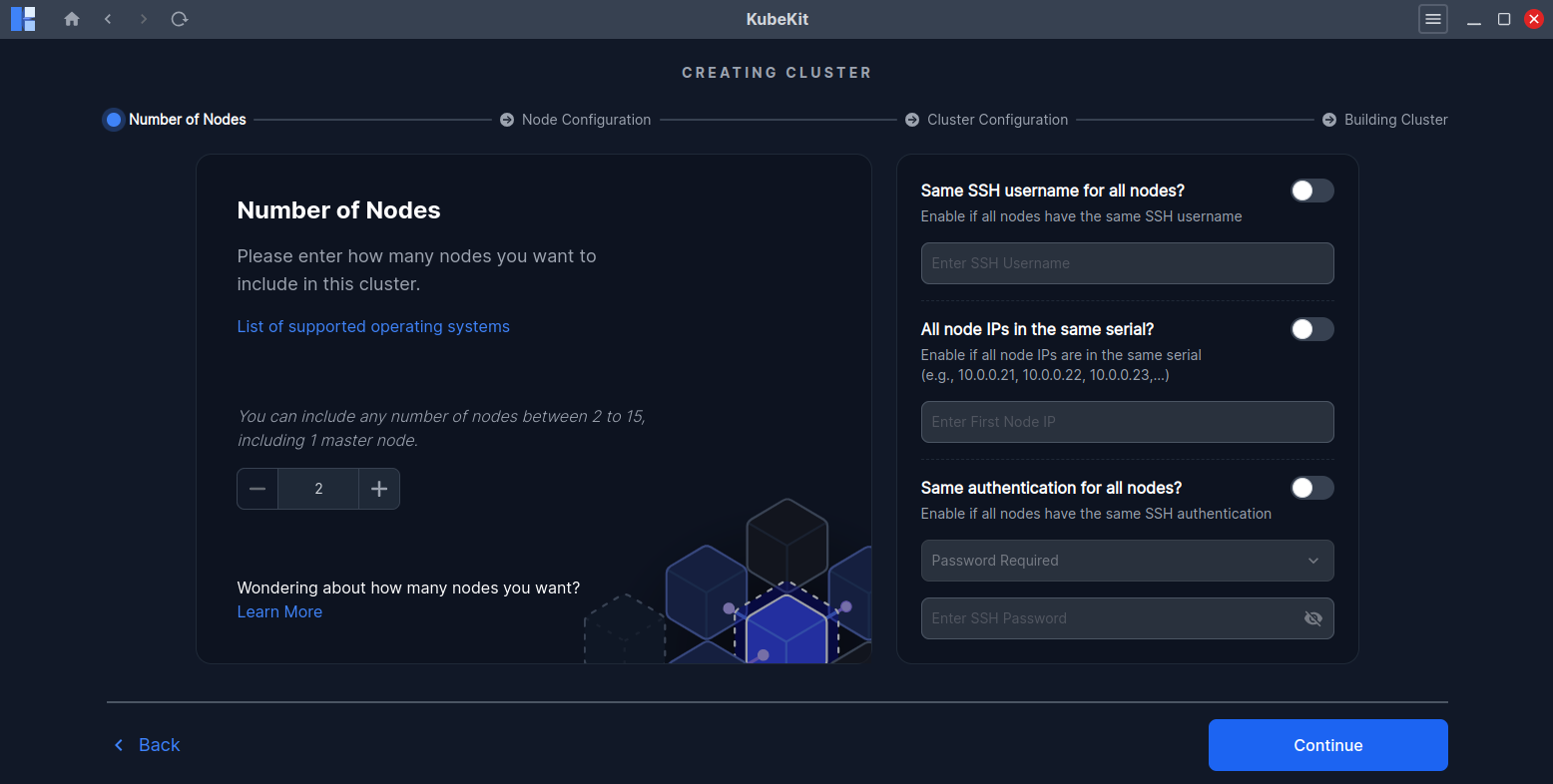
To make configuration easier there are several optional settings that help multiple nodes with same configuration.
- If all your nodes have the same username, then you enable the first switch and enter the username.
If all your node IPs are in the same serial. Like, you have three nodes and your IPs look like below:
- First node has the IP of
10.0.0.21 - Second node has the IP of
10.0.0.22 - Third node has the IP of
10.0.0.23
Then enter the first node's IP only, which is
10.0.0.21.- First node has the IP of
- If all your nodes have the same SSH methods, then enable the switch and select common method for all nodes and enter the SSH password or upload the ssh-key file respectively.
Finally, click Continue to move forward.
Verify/Edit Node Information
Here you can see the details information of your each node separately, also you can modify or adjust node information independently.
- Select your master node first, You can select any node as master node.
- You can edit the SSH port(if it's not
22). - Use
+orDeletebutton to add or remove any node.
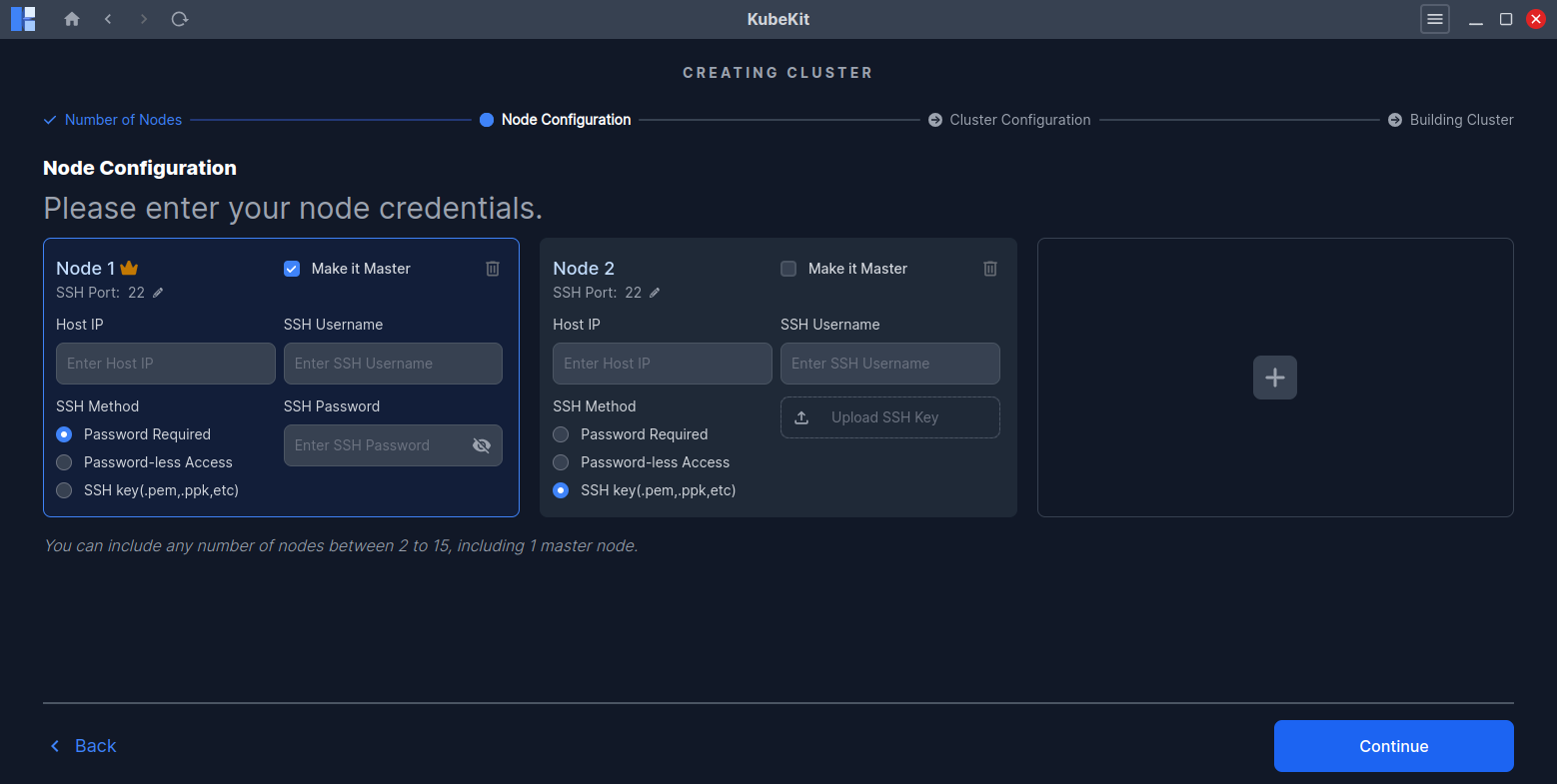
Click continue and it will ask you for confirmation to check node access and prerequisites.
Node Information Preview
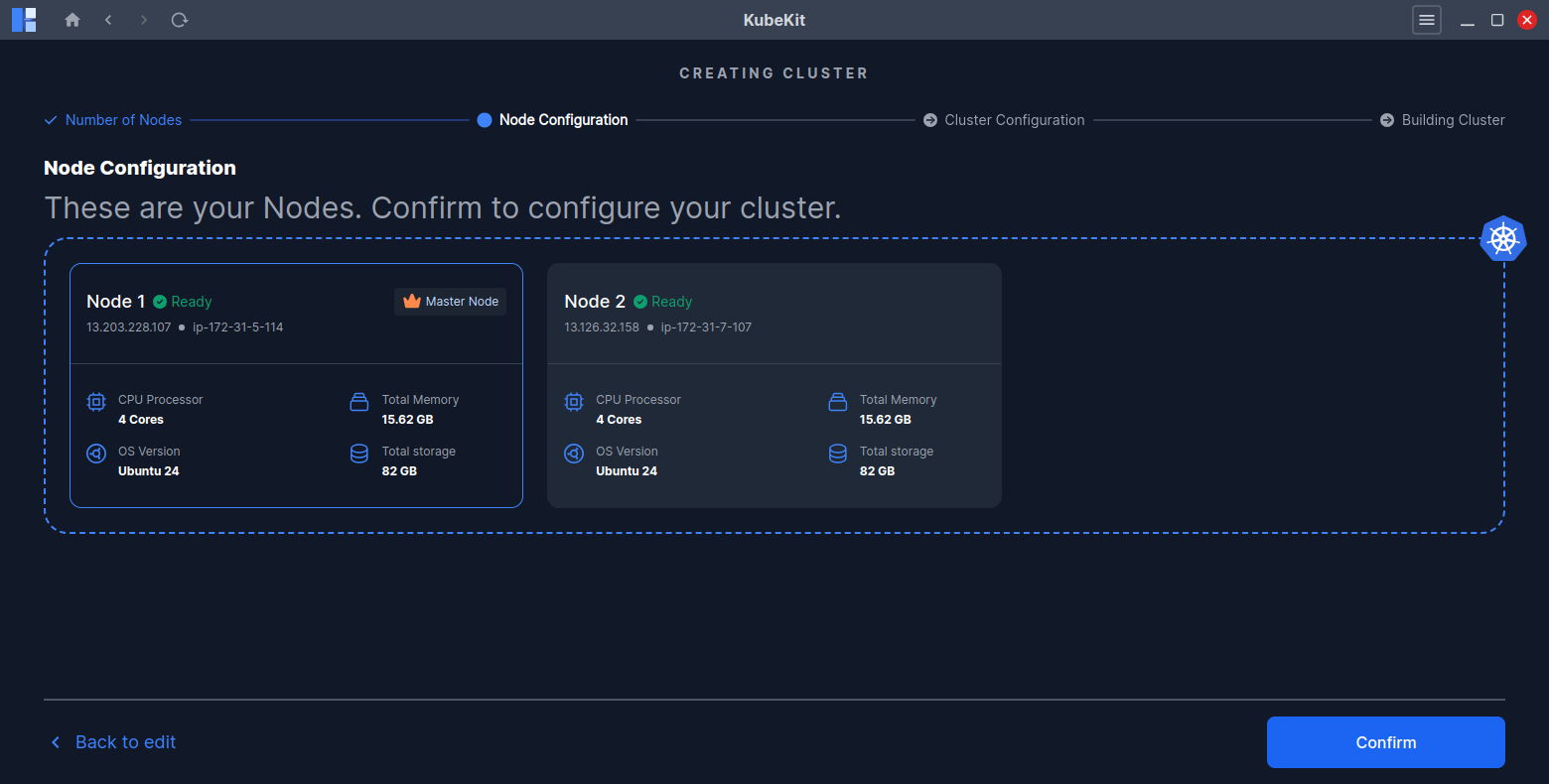
After successfully checking all of your nodes, the below node details will be previewed:
- CPU count
- Total memory
- Operating system
- Total storage
If any node is unreachable, an error message will appear.
Click Continue to move forward.